Integrations
Run the AISeeWhy check where you already work. For each integration this page says what it does, what it sends to AISeeWhy, which plan it needs and whether it is available yet.

| Integration | Status | Plan |
|---|---|---|
| Chrome extensions | Available | Free |
| WordPress plugin | In review | Free |
| Claude Code plugin and skills | Available | Free; more with an API key |
| MCP server for Claude, Cursor, Codex and other agents | Available | Free; more with an API key |
| ChatGPT app | Coming soon | Free |
| Shopify app | In review | Free |
| GitHub Action | Available | Free; more with an API key |
| Apify actor | Available | Pay per URL on Apify |
| REST API | Available | Free; more with an API key |
Chrome extensions
Available
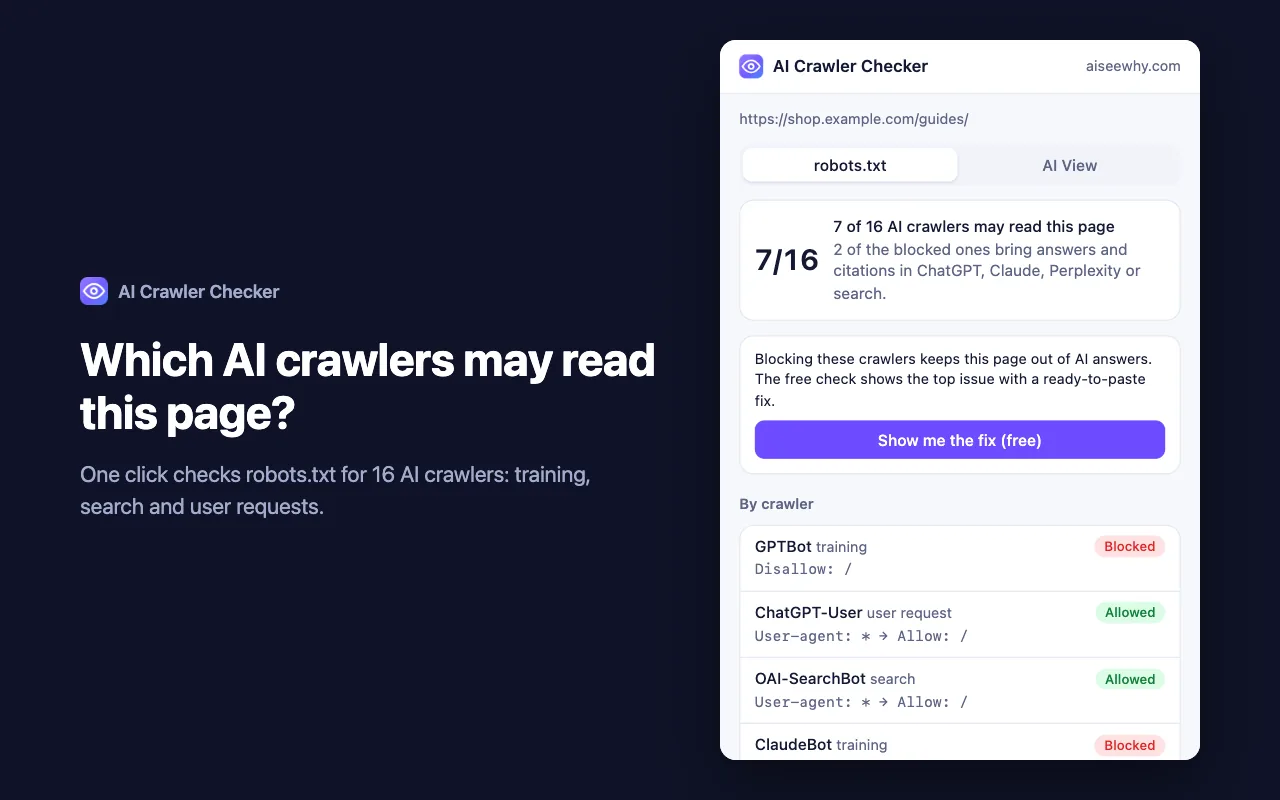
- AI Crawler Checker: Which AI crawlers may read this page? See the robots.txt rule for each of 16 crawlers, in one click. Add to Chrome ↗
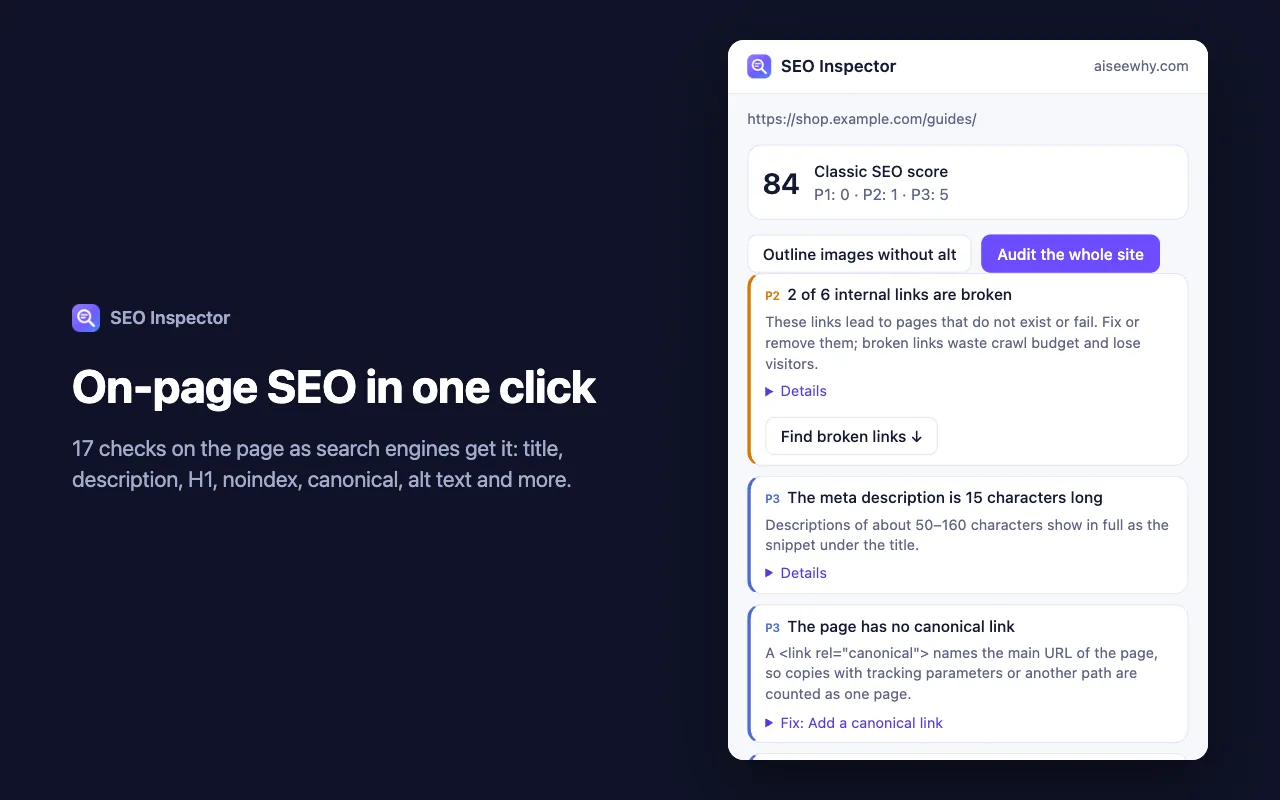
- SEO Inspector: On-page SEO in one click: title, description, H1, noindex, canonical, alt text, Open Graph and broken internal links. Add to Chrome ↗
- What it sends to AISeeWhy: Both extensions check the page inside your browser and send nothing to us. Only when you start the full check in AI Crawler Checker does it send the address of the open tab and your language, with your API key. No browsing history is read or kept.
- Plan: Free, no account needed. The full check needs an API key from your account and uses the limits of your plan.
WordPress plugin
In review
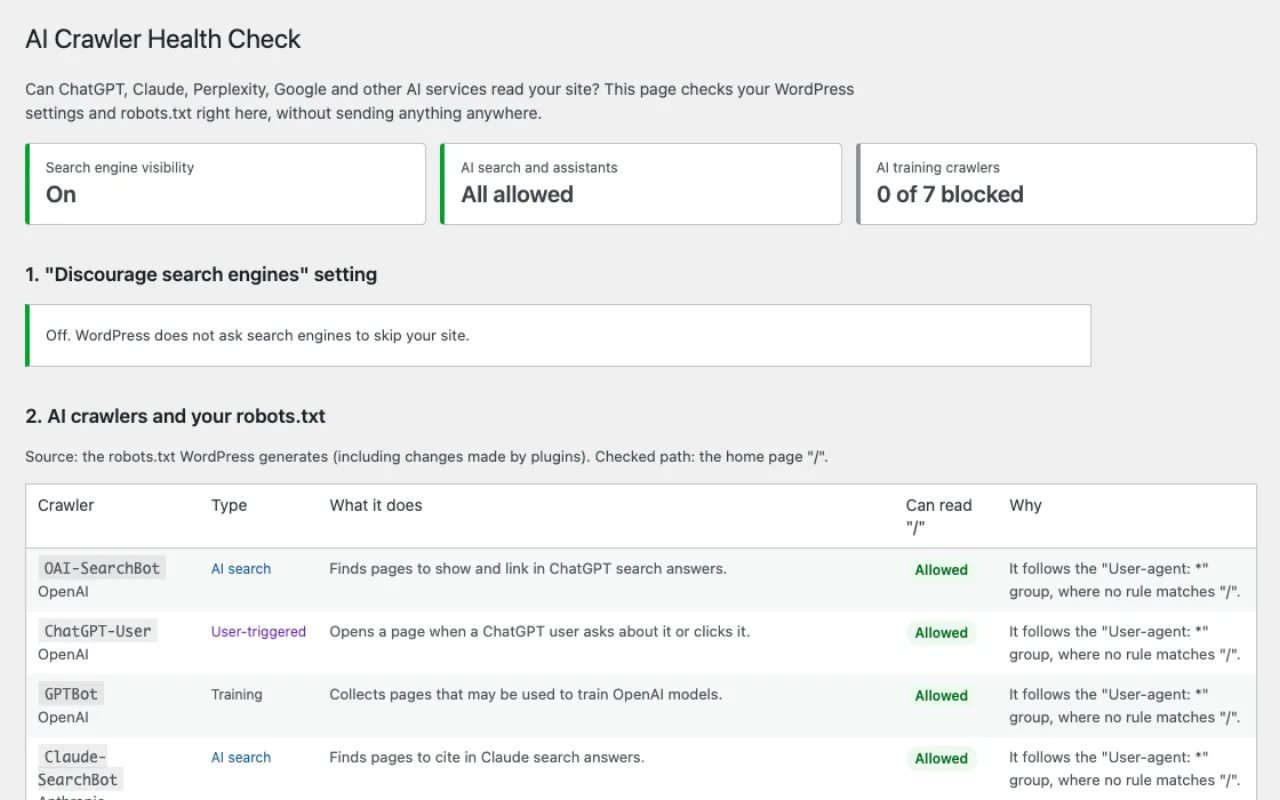
AI Crawler Health Check by AISeeWhy
- What it does: Adds Tools → AI Crawler Health Check to your WordPress admin. It shows whether the "Discourage search engines" setting is on, checks your robots.txt for 16 AI and search crawlers with the rule that decides each one, and suggests a robots.txt group to paste. It never changes your robots.txt or your settings.
- What it sends to AISeeWhy: Nothing, until an administrator ticks the consent box and runs the optional cloud check. Then it sends your home page address, the report language and your API key, if you saved one.
- Plan: Free. The cloud check gives one free check a day per network, or the limits of your plan with an API key.
- Status: In review: the plugin has been submitted to the WordPress.org plugin directory and is waiting for its review.
Claude Code plugin and skills
Available
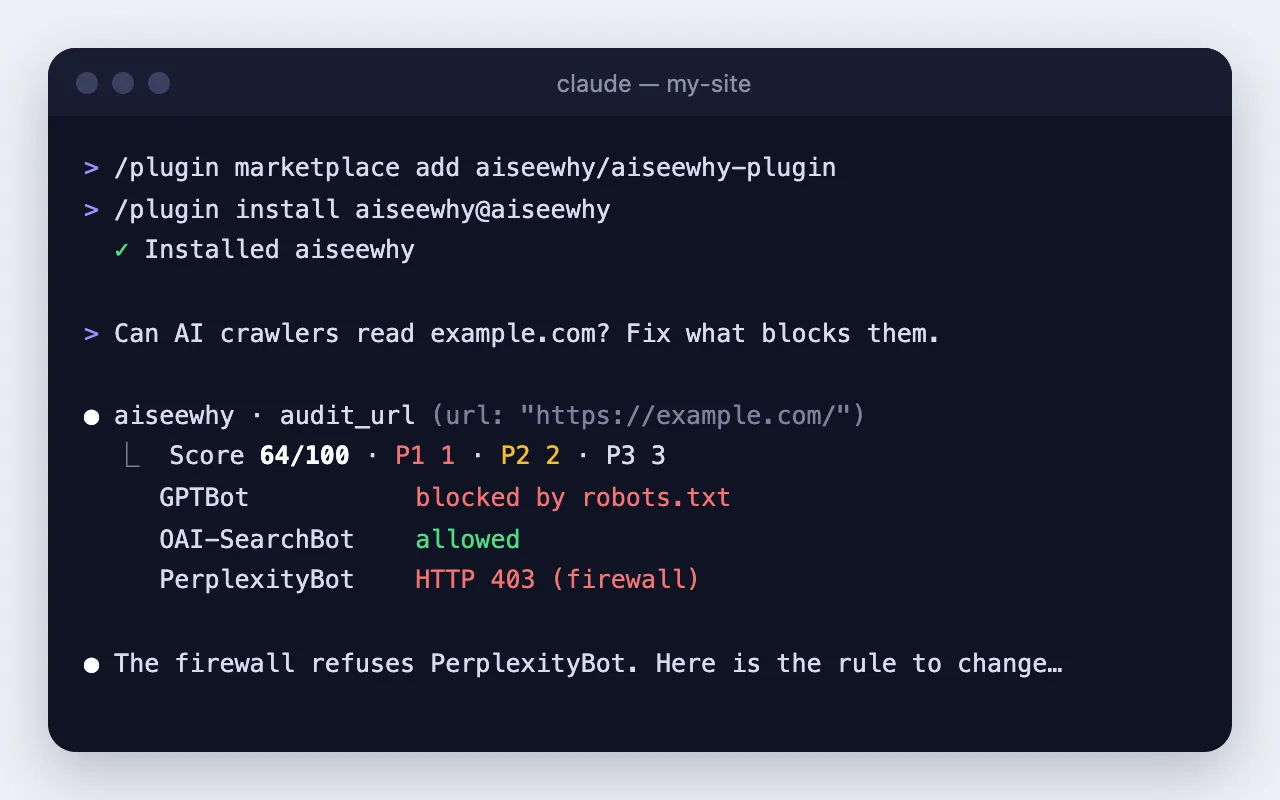
- What it does: Adds the AISeeWhy MCP server and skills to Claude Code: check a page, find what blocks AI crawlers, write the fix and check again. Other agents that read SKILL.md files can install the skills on their own.
- What it sends to AISeeWhy: For each check: the page or sitemap address and the other tool arguments, such as the language, with your API key if you set one. Your conversation stays with the agent and its provider.
- Plan: Without a key: one free check a day per network, shown as a preview. With an API key: the limits of your plan. Business use beyond a trial needs a Business plan or higher.
- Install: GitHub ↗
/plugin marketplace add aiseewhy/aiseewhy-plugin
/plugin install aiseewhy@aiseewhy

# skills only, for other agents
npx skills add aiseewhy/aiseewhy-plugin
MCP server for Claude, Cursor, Codex and other agents
Available
- What it does: A remote MCP server at
https://api.aiseewhy.com/mcp. Any client that supports remote MCP servers can use it to check pages and sitemaps. - What it sends to AISeeWhy: For each check: the page or sitemap address and the other tool arguments, such as the language, with your API key if you set one. Your conversation stays with the agent and its provider.
- Plan: Without a key: one free check a day per network, shown as a preview. With an API key: the limits of your plan. Business use beyond a trial needs a Business plan or higher.
- Install: Setup for Claude Code, Codex and Cursor →
ChatGPT app
Coming soon

- What it does: Runs the AI crawler check inside ChatGPT and shows the result as a card. It uses the same MCP server.
- What it sends to AISeeWhy: Your request reaches us through OpenAI. We receive only the tool arguments, such as the page address and the language, and the technical data ChatGPT adds to a request, such as the locale; not your conversation. OpenAI's privacy policy applies to the conversation.
- Plan: Free check. There is nothing to buy inside ChatGPT.
- Status: Coming soon: the app is not yet in the ChatGPT app directory. Until then you can add the MCP server in ChatGPT developer mode with the address
https://api.aiseewhy.com/mcp.
Shopify app
In review
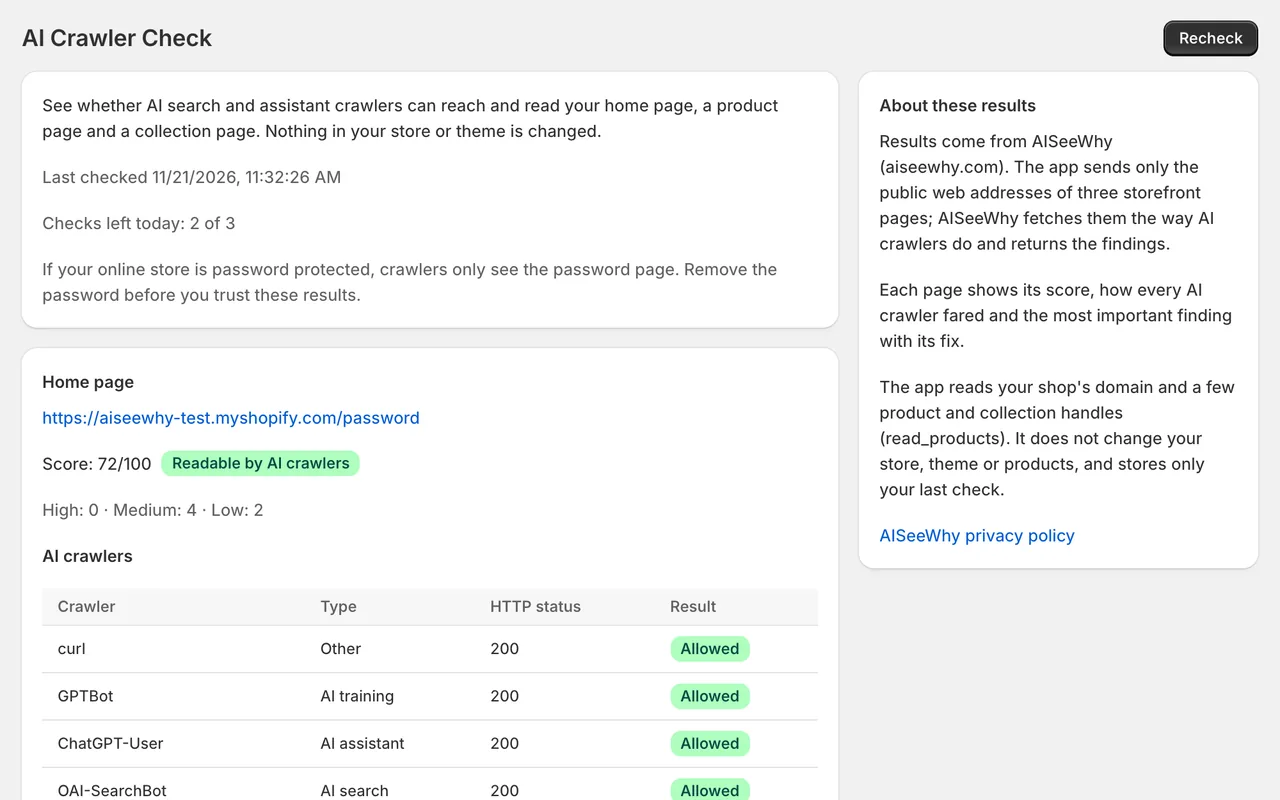
AISeeWhy – AI Crawler Check
- What it does: An embedded, read-only app in your Shopify admin. It checks your home page, one product page and one collection page: which AI crawlers may read them, whether the product data has the price, currency and availability, and how to fix a block on Shopify. It never edits your theme or products.
- What it sends to AISeeWhy: The public addresses of those storefront pages and your shop's myshopify.com domain. The app asks only for the read_products access scope and reads no customer or order data.
- Plan: Free, in your Shopify admin. No separate account needed.
- Status: In review: the app has been submitted to the Shopify App Store and is waiting for its review.
GitHub Action
Available
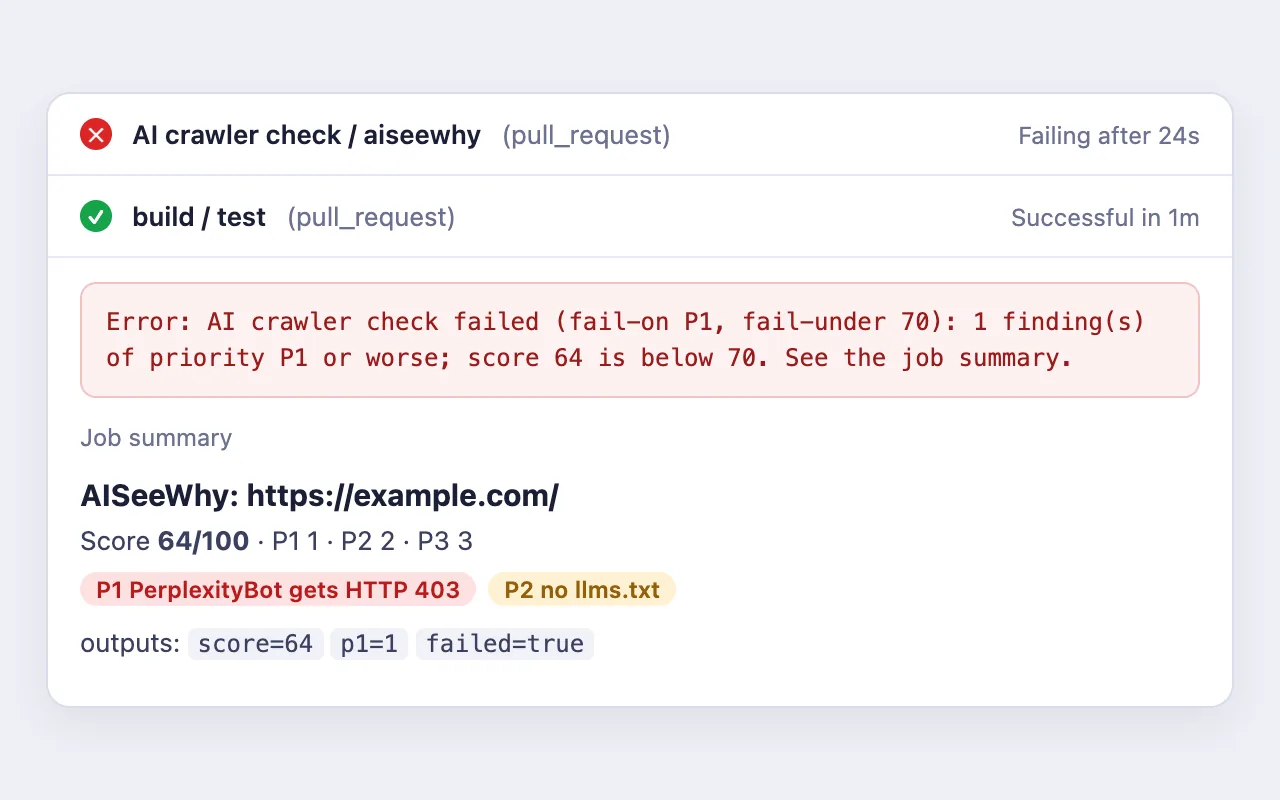
- What it does: aiseewhy/check-action runs the check in your workflow, fails the build on a P1 finding or a score under your threshold, writes the report into the job summary and can propose a robots.txt change for you to review.
- What it sends to AISeeWhy: The address you configure and your API key, if you set one. The request comes from the GitHub runner.
- Plan: Free without a key: the score and the counts, limited per runner address. The full report needs an API key.
- Install: GitHub Marketplace ↗
- uses: aiseewhy/check-action@v1
  with:
    url: https://example.com/
    api-key: ${{ secrets.AISEEWHY_API_KEY }}  # optional
    fail-on: P1
Apify actor
Available
- What it does: Checks many URLs or a whole sitemap in one run on Apify and returns the findings as a dataset.
- What it sends to AISeeWhy: Nothing: the check runs on Apify. Apify processes your input and the results under its own terms.
- Plan: Pay per checked URL, billed by Apify; URLs that could not be checked are free. The price is on the Apify page.
- Install: Apify ↗
REST API
Available
- What it does: POST /v1/audit checks one page and returns the findings as JSON. Other endpoints cover sitemaps, monitoring, comparisons and exports; the OpenAPI description lists them all.
- What it sends to AISeeWhy: The address and the options of each request, with your API key in the x-api-key header.
- Plan: Without a key: one free check a day per network, shown as a preview. With an API key: the limits of your plan. Business use beyond a trial needs a Business plan or higher.
- Install: API & MCP docs → · OpenAPI ↗
Every integration is part of the AISeeWhy service and follows our terms and privacy notice. The store you install it from has its own terms as well. Terms · Privacy
Questions about plans, billing or your data: support@aiseewhy.com